In digital product design, success isn’t just about having the right features—it’s about creating a seamless and enjoyable experience for users. To achieve this, teams must first understand the entire user experience, from the user’s first interaction to their last. This is where user journey mapping becomes a valuable tool.
User journey maps help teams visualise how people interact with a product or service over time. They uncover pain points, emotional highs and lows, and opportunities to improve the user experience. This article explores what journey mapping is, why it matters, how to create one, and how real companies have used it to drive impactful improvements.
What Is a User Journey Map?
A user journey map is a visual representation of the process a person goes through to accomplish a goal with a product or service. It captures what the user does, thinks, and feels at each stage, alongside their goals, emotions, pain points, and the touchpoints they encounter.
According to Stickdorn et al. (2018), journey maps are especially useful in identifying the “moments that matter” in service delivery—those interactions that can make or break the experience.
Why Journey Mapping Matters
1. Promotes User-Centric Thinking
Journey mapping forces teams to see the product from the user’s point of view. This builds empathy and encourages more thoughtful design decisions (Nielsen Norman Group, 2021).
2. Identifies Gaps and Pain Points
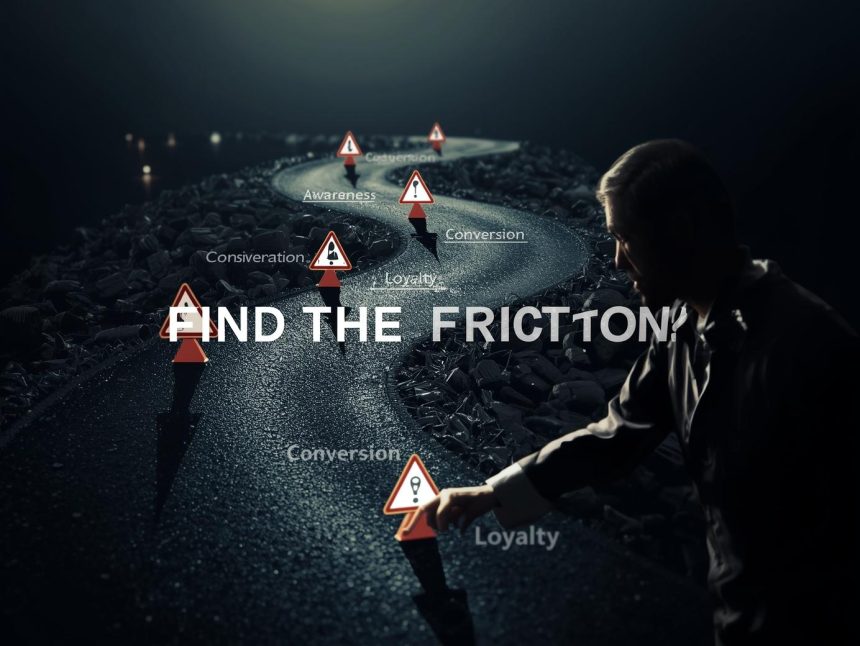
Journey maps often reveal critical moments where users struggle, feel confused, or abandon the process. These insights help prioritise design and process improvements.
3. Aligns Cross-Functional Teams
By bringing everyone together around the same visual map—design, product, engineering, and marketing—journey mapping ensures a shared understanding of the user experience (Kujala et al., 2020).
4. Drives Better Business Results
Improving the user journey has been shown to enhance customer satisfaction and retention. A study by Temkin Group (2018) found that companies delivering a great experience enjoy higher loyalty and increased revenues.
Core Elements of a Journey Map
A good journey map typically includes the following:
| Component | Description |
| Persona | A fictional but research-based user profile |
| Scenario | The specific task or use case (e.g., booking a flight, signing up for a trial) |
| Stages | Key steps the user takes during the journey |
| Actions | What the user is doing at each stage |
| Thoughts | What the user is thinking and questioning |
| Emotions | How the user is feeling—frustrated, confident, anxious, etc. |
| Touchpoints | Where the user interacts with the product (e.g., mobile app, website, support) |
| Pain Points | Problems or frustrations that block success |
| Opportunities | Ideas for improving the experience |
How to Create a User Journey Map
Step 1: Define the Persona and Scenario
Start with a clear user persona and a specific scenario. For example:
- Persona: “Alex,” a 29-year-old freelance designer
- Scenario: Signing up for a free trial of a design software tool
This step ensures that your journey map reflects a realistic and relevant use case.
Step 2: Conduct Research
Use a mix of qualitative and quantitative methods:
- User interviews: Gather direct insights into motivations and challenges
- Usability testing: Observe how people interact with your product
- Analytics: Understand where users drop off or succeed
As Kujala et al. (2020) explain, involving users in journey mapping makes the results more valid and actionable.
Step 3: Break the Journey into Stages
Common stages may include:
- Awareness
- Research
- Decision-making
- Onboarding
- Usage
- Support or renewal
For each stage, detail the user’s:
- Actions
- Thoughts
- Emotions
- Touchpoints
Step 4: Identify Pain Points and Moments of Delight
At each step, ask:
- What’s going well for the user?
- Where are they getting stuck?
- How do they feel?
Use this information to prioritise improvements.
Step 5: Visualise the Journey
Use charts, timelines, or emotion graphs to illustrate the experience. Many teams use emotion curves to show how user sentiment rises or drops across the journey.
Popular tools:
These tools allow collaboration and easy updates.
Case Studies: Journey Mapping in Action
1. Spotify: Personalised Onboarding
Spotify used journey mapping to examine first-time user onboarding. They learned that users who created three playlists early were much more likely to stay long term.
Result: The team modified onboarding to guide new users toward playlist creation—improving retention significantly (Nielsen Norman Group, 2021).
2. Bank of America: Mobile App Experience
Bank of America mapped the mobile deposit journey for older users. Research showed confusion around check placement and lighting.
Fixes included clearer instructions and progress indicators.
Outcome: App satisfaction scores rose, and call volume to support dropped by 15% (Forrester, 2020).
3. Airbnb: Aligning Host and Guest Journeys
Airbnb created side-by-side journey maps for hosts and guests, revealing areas of friction such as unclear rules and lack of communication.
Changes included updating listing templates and adding automated reminders.
Impact: Higher booking satisfaction and better reviews across the platform.
Common Mistakes to Avoid
- Skipping user research
Maps based on assumptions miss critical truths. Always gather data from real users. - Overcomplicating the map
Too many stages, personas, or details can make maps hard to use. - Focusing only on happy paths
Include friction and failures—this is where improvement starts. - Forgetting to update the map
User journeys evolve. Update maps regularly with new feedback and usage data.
Benefits Across Teams
| Team | How Journey Mapping Helps |
| UX & Design | Prioritise design improvements based on real pain points |
| Product Management | Discover feature opportunities and enhance user flows |
| Marketing | Tailor content and campaigns to different journey stages |
| Customer Support | Prepare for and reduce support issues by addressing friction points early |
The Emotional Layer: Don’t Ignore Feelings
A key benefit of journey mapping is that it surfaces user emotions, not just actions. Emotions shape behaviour—frustrated users abandon tasks, while delighted users become loyal advocates.
Use emotional curves to track how sentiment changes at each stage. Then ask:
- Can we reduce frustration?
- Can we create more joy or relief?
Designing for emotional experience makes products more human and memorable (Norman, 2004).
Note
User journey mapping is a powerful way to bring empathy into product development. It connects teams to real user experiences and helps them prioritise the right problems to solve.
By regularly mapping and updating your user journeys, you can build products that feel intuitive, satisfying, and human-focused. In a world where digital experiences define brand perception, journey mapping isn’t just a tool—it’s a competitive advantage.

References
Forrester. (2020). Customer experience case studies: Financial services. https://go.forrester.com/
Kujala, S., Walsh, T., Nurkka, P., & Kemppainen, K. (2020). User involvement through journey mapping. International Journal of Human–Computer Interaction, 36(11), 1046–1062. https://doi.org/10.1080/10447318.2020.1711692
Nielsen Norman Group. (2021). Journey mapping 101. https://www.nngroup.com/articles/customer-journey-mapping/
Norman, D. A. (2004). Emotional design: Why we love (or hate) everyday things. Basic Books.
Stickdorn, M., Hormess, M. E., Lawrence, A., & Schneider, J. (2018). This is service design doing: Applying service design thinking in the real world. O’Reilly Media.
Temkin Group. (2018). The ROI of customer experience. https://experiencematters.blog/