In digital marketing, first impressions aren’t just important—they’re everything. According to research, users form an opinion about a website in just 0.05 seconds (Lindgaard et al., 2006). At the heart of this snap judgment is the user interface (UI)—the visual layout and interactive features that users see and use when visiting a digital platform.
UI is more than just looks. It guides how customers interact with a brand, make decisions, and even build loyalty. In fact, 88% of users are less likely to return to a site after a bad experience (Sweor, 2023). This article explores how strong UI design helps digital marketers improve engagement, build trust, and increase conversions.
What is UI in Digital Marketing?
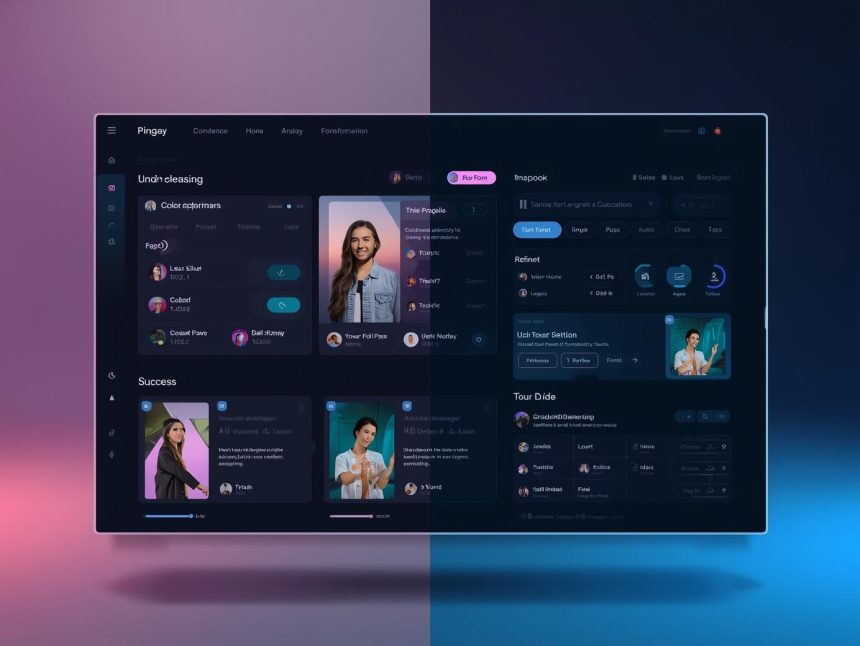
User Interface (UI) refers to the space where interactions between humans and machines happen. In digital marketing, this includes:
- Website and app layouts
- Buttons, icons, and navigation menus
- Colour schemes and typography
- CTAs (Call-to-Action) and forms
A well-designed UI ensures that users can easily find what they need, navigate smoothly, and take action—such as signing up or making a purchase. The goal is to create a smooth, intuitive experience that supports the brand’s marketing efforts.
Why UI Matters in Digital Marketing
1. Drives First Impressions
Your digital interface is your first handshake with users. Studies show that poor visual design leads to instant distrust, often before users read a single word (Lindgaard et al., 2006). Good UI helps create a professional, trustworthy image that reflects the quality of your brand.
2. Boosts Conversions
Forrester Research found that better UX design could increase conversion rates by up to 400% (Forrester, 2020). Since UI is a core part of UX, improving it helps users complete desired actions—like signing up for newsletters, requesting quotes, or making payments.
3. Lowers Bounce Rate
Google reports that 53% of mobile users will abandon a site if it takes longer than three seconds to load (Google, 2022). Poor UI—such as heavy graphics or confusing layouts—leads to frustration and higher bounce rates. Clean, responsive UI keeps users engaged.
4. Strengthens SEO Performance
Search engines like Google consider user experience (UX) signals, including time-on-site, bounce rates, and mobile usability. These are all directly influenced by UI. A fast, intuitive interface leads to better engagement metrics, which can improve your site’s search rankings.
5. Builds Brand Loyalty
Consistent, user-friendly UI creates positive emotional responses. When users enjoy interacting with your brand online, they’re more likely to return, recommend, and become loyal customers.
Core Elements of Effective UI
1. Simplicity
Avoid clutter. Clean designs with minimal distractions help users focus. Limit the number of colours, fonts, and menus. Tools like Figma and Adobe XD can help marketers and designers build clear interfaces that convert.
2. Mobile Responsiveness
As of 2024, over 60% of web traffic comes from mobile devices (Statista, 2024). If your UI doesn’t adjust well to small screens, you risk losing more than half your audience. Test your layout using tools like Responsinator.
3. Clear Call-to-Actions (CTAs)
CTAs like “Buy Now,” “Sign Up,” or “Download” must be easy to see and tap. They should stand out with strong colour contrast, readable text, and logical placement in the layout.
4. Fast Loading Speed
Users leave slow sites. A fast UI includes optimised images, lightweight code, and efficient servers. Use tools like Google PageSpeed Insights to test and fix speed issues.
5. Consistent Branding
Colours, fonts, icons, and tone should reflect your brand across all pages. This helps build trust and makes your brand instantly recognisable.
Real-World Examples of Good UI
1. Amazon
Amazon’s UI is simple, fast, and focused on functionality. It uses clear product categories, quick filters, and one-click checkouts to move users quickly from browsing to buying.
2. Airbnb
Airbnb redesigned its platform to improve booking flows. After simplifying its UI, it saw a 30% increase in bookings and reduced customer support calls (UX Magazine, 2023).
3. Mailchimp
Mailchimp’s drag-and-drop email UI allows users with no design skills to create beautiful campaigns. This simplicity empowers small businesses to build better digital experiences.
Tools to Improve Your UI
Here are tools marketers can use to build and test high-quality UI:
- Canva – Great for beginner-friendly design
- Unbounce – Landing page builder with smart UI templates
- Hotjar – Track user clicks and heatmaps
- Sketch – Popular tool for professional UI design
- Crazy Egg – User behaviour and A/B testing
Emerging Trends in UI for Marketing
1. Microinteractions
These are tiny animations or design changes that respond to user actions—like a button lighting up when clicked. They add delight and reduce friction in the user journey.
2. Dark Mode Options
With growing popularity among users, adding a dark mode toggle increases comfort and accessibility—especially for mobile app users.
3. Voice Interfaces
Smart assistants like Siri and Alexa are changing how people interact with tech. In the future, voice UI may play a bigger role in how people search or shop online.
4. Personalised Interfaces
Brands are now using AI to create custom layouts and recommendations based on user behaviour. This helps improve engagement and conversions.
Common UI Mistakes to Avoid
- Too many options – Cluttered menus can confuse users
- Poor contrast – Text that’s hard to read
- Slow animations – Fancy effects that delay usability
- Hidden CTAs – Important actions that are not visible or clear
- Non-responsive design – Layouts that break on mobile
Fixing these issues can significantly improve both user satisfaction and marketing performance.
Note
In the digital marketing world, UI is your silent salesperson. It influences what users feel, how they behave, and whether they convert. With users judging your website in less than a second, your UI needs to be fast, friendly, and functional.
Businesses that invest in strong UI design see better results: lower bounce rates, higher engagement, more conversions, and improved brand loyalty. Whether you’re building a new site or improving an existing one, remember: a beautiful UI doesn’t just look good—it sells.
More Read

References
- Forrester. (2020). The business impact of customer experience. https://go.forrester.com/blogs/
- Google. (2022). Think with Google: Mobile site speed. https://www.thinkwithgoogle.com
- Lindgaard, G., Fernandes, G., Dudek, C., & Brown, J. (2006). Attention web designers: You have 50 milliseconds to make a good first impression! Behaviour & Information Technology, 25(2), 115–126. https://doi.org/10.1080/01449290500330448
- Statista. (2024). Mobile internet traffic worldwide – Statistics & Facts. https://www.statista.com
- Sweor. (2023). Web design statistics. https://www.sweor.com/firstimpressions
- UX Magazine. (2023). Why startups fail at UX. https://uxmag.com/articles/why-startups-fail-at-ux