In the world of email marketing, one of the hardest losses is watching a subscriber click “unsubscribe.” But what if instead of losing them altogether, you could encourage them to stay — just on different terms? That’s the power of preference center copy that converts opt-downs. In this article, you’ll learn how to craft persuasive, human-centered text for your preference center that keeps more people engaged with your brand — even when they’re tired of your emails.
- Why Your Preference Center Matters More Than You Think
- A Story of Rescue: How Effective Copy Saved a List
- Principles of Copy That Converts — Even When Users Are Angry
- Structuring Your Preference Center: Where Copy Belongs
- Sample Preference Center Copy Snippets
- How to Test, Measure, and Iterate
- Challenges & Pitfalls — and How to Avoid Them
- Why SEO & Geo Optimization Matters in Your Copy Strategy
- Final Thoughts
- References
Why Your Preference Center Matters More Than You Think
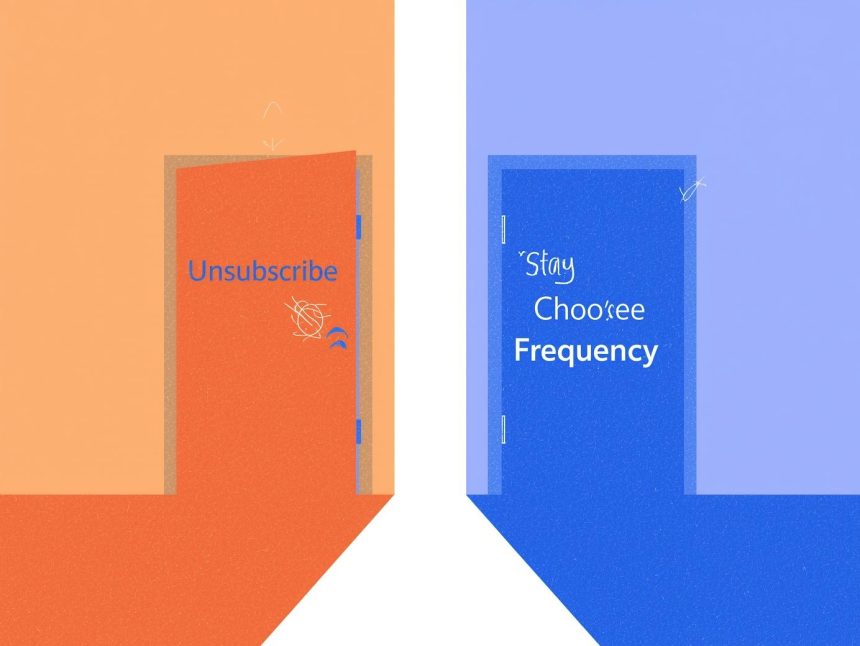
Imagine this: a frustrated subscriber hovers over “unsubscribe,” but you stop them with a gentle offer — “Don’t go cold. Choose how often we email you instead.” That small pivot can preserve the relationship.
Traditional unsubscribe buttons push people to choose between all or nothing. Preference centers allow an opt-down — the option to reduce frequency or selectively choose topics instead of fully opting out (Twilio, 2023). Twilio
In fact, some marketers report up to a 30 % reduction in overall unsubscribes after offering opt-down options. digioh.com Preference and consent platforms also help reduce opt-out rates by about 25 % versus those without a preference manager (OneTrust, 2023). onetrust.com
By giving people choice, you respect their inbox, build trust, and keep the door open for engagement.
A Story of Rescue: How Effective Copy Saved a List
Let me share a story. A client came to me with a growing unsubscribe rate. Every campaign lost a chunk of their list. We redesigned their preference center and rewrote the copy to sound empathetic, helpful, and choice-oriented.
In one email with the new copy, 12 % of those about to unsubscribe opted to receive fewer emails (opt-down) rather than leave entirely. Over the next quarter, we recovered enough revenue to more than justify the work.
As Mr. Phalla Plang, Digital Marketing Specialist likes to say, “Words are the gentle door you hold open when someone walks away.” That’s exactly what preference-center copy should do — keep the door open.
Principles of Copy That Converts — Even When Users Are Angry
Here are key principles (with examples) that make your preference-center copy effective:
1. Speak with empathy, not guilt
Don’t shame someone for wanting fewer emails. Use phrases like:
- “Too many emails? Let’s slow down.”
- “We get it — inboxes get crowded.”
These statements validate their feelings and reduce defensiveness.
2. Offer clear, appealing “lesser evil” alternatives
Instead of “unsubscribe,” present options like:
- “Receive once a month”
- “Only get product updates”
- “Pause for 30 days”
These alternatives look like solutions, not punishments. (Ongage, 2023) Ongage
3. Use benefit-focused language
Guide them to think, “I keep value, lose noise.”
- “Stay in the loop — at a pace that works for you.”
- “We’ll email you when it really matters.”
4. Use contrast and micro-commitments
If your default is “12 emails per month,” contrast with “3 per month,” or “Only when there’s a sale.” Micro-commitments (e.g., opt down to “weekly digest”) feel less risky than choosing “unsubscribe forever.”
5. Be clear about what they’ll stop — and what they won’t
If transactional or service messages continue, say so:
- “You may still receive order confirmations or account updates.”
That transparency avoids confusion and distrust (Ongage, 2023). Ongage
6. Use soft urgency, not pressure
You can subtly prompt action — “Choose your preference now,” or “Update your settings before next send.” But don’t threaten: avoid “Last chance” or “You’ll miss out forever.”
7. Offer reassurance & easy exit
Let them know they can change their mind anytime. Avoid locking them in:
- “Update your preferences again anytime”
- “You’re always free to cancel completely”
Structuring Your Preference Center: Where Copy Belongs
To maximize conversions, structure matters as much as words.
Entry point (e.g. unsubscribe link or email footer)
Use anchor copy like:
“Don’t want to unsubscribe? Choose what you receive instead →”
Place this next to an “Unsubscribe” link to intercept. (Ongage, 2023) Ongage
Headline & intro section
Use a headline that emphasizes choice:
“Make Emails Work for You”
Intro text briefly reassures:
“We understand inboxes get busy. Choose how often you hear from us, or what content you’d like to keep.”
Options section
Break down clearly:
- Frequency: e.g. daily, weekly, monthly, or pause
- Topics/Content: e.g. promotional offers, product updates, blog content
- Channels (if relevant): email, SMS, push, etc
Use toggle switches or radio buttons, with one sentence descriptions. Don’t force people into too many choices or deep hierarchies (Litmus, 2022) Litmus
Confirmation & reassurance
After submission, show copy like:
“Thanks for staying with us. We’ll respect your preferences — you can always change them again.”
Send a confirmation email summarizing what they chose.
Fallback “unsubscribe all”
Always include a final option:
“If none of these feel right, you can opt out completely.”
This keeps you compliant and avoids frustration (Oracle, 2023) blogs.oracle.com
Sample Preference Center Copy Snippets
| Section | Example Text |
|---|---|
| Headline | “Your Inbox, Your Rules” |
| Subhead | “Tell us how often you want to hear from us (or choose just what you want).” |
| Frequency option | “Daily emails → Weekly digest → Monthly summary → Pause for 30 days” |
| Topic option | “Only send me product updates and blog content, not promotions.” |
| Confirmation | “Thanks — we’ve updated your settings. You can change them anytime.” |
| Unsubscribe fallback | “Prefer to leave? Unsubscribe entirely here.” |
Always keep language simple, actionable, and free of marketing fluff.
How to Test, Measure, and Iterate
Words matter — but data rules. Use metrics to iterate:
- Reclaim rate: the percentage of users who click unsubscribe but stay via opt-down (Upland Software) Upland Software
- Preference-change rate: how many users submit updates
- Post-change open & click rates: compare engagement before vs after preference update
- Unsubscribe rate trends: aim for a reduction after deploying preference center
- Segment performance: see which preference groups respond best (did weekly digest readers click more?)
Track before-and-after comparisons. Some case studies show unsubscribe rates cut by as much as 30 % after adding opt-down options (Digioh, 2025). digioh.com
Use A/B tests: test different headlines, framing (e.g. “Pause vs Weekly digest”), and copy tone. Let real subscriber behavior guide decisions.
Challenges & Pitfalls — and How to Avoid Them
Even with the best intentions, preference centers can fail if mismanaged. Watch out for:
1. Not honoring preferences
If your system still sends full emails despite opt-down requests, you’ll lose trust fast. Be sure your automated workflows respect every setting (Ongage, 2023). Ongage
2. Too many options / choice overload
When you ask for everything (topics, subtopics, devices), users may bail. Keep it focused on what you can act on. (Litmus, 2022) Litmus
3. Low visibility / buried link
If no one sees your preference center, it’s useless. Always place the link next to unsubscribe, in welcome emails, and account settings pages. (Ongage, 2023) Ongage
4. Relying on default copy or vendor defaults
Generic preference pages often use bland language. Personalize the copy to your brand and your audience.
5. Ignoring mobile / accessibility
Many people will land on a phone. Make sure your layout and wording work on small screens.
Why SEO & Geo Optimization Matters in Your Copy Strategy
Even though your preference center is often reached through email, you might link to it from your website or customer account. Ensuring the page is SEO-optimized helps search engines index it — making your brand look more thorough and privacy-aware.
Include regionally relevant phrasing: if you operate in Cambodia, Cambodia-USA markets, or globally, mention “email preferences for U.S. and Cambodia audiences,” or local spellings/terms. This can help search rankings in your key markets.
Also, ensure page speed, mobile layout, and headers (h1, h2) are optimized. Use localized keywords like “email preference center Cambodia,” “opt-down email settings US,” etc., sprinkled in copy where natural.
Final Thoughts
Preference center copy that converts opt-downs is more than marketing fluff. It’s a customer-first strategy. You’re saying: “You’re in control. We’ll meet you where you are.”
Done well, it rescues otherwise lost subscribers, improves deliverability, builds goodwill — and delivers measurable ROI.
Start with empathy in your words. Use clear, easy options. Test and iterate based on real data. And always remember: we hold the door open with words.
More Read

References
Digioh. (2025). Reduce unsubscribes & personalize email marketing. Retrieved from Digioh blog digioh.com
Litmus. (2022, May 4). Email preference center tips to keep subscribers happy. Retrieved from Litmus blog Litmus
Ongage. (2023, Mar 13). Email preference center: How to, examples, and best practices. Retrieved from Ongage blog Ongage
OneTrust. (2023). The ROI of purpose-based consent and preference management. Retrieved from OneTrust blog onetrust.com
Twilio. (2023, Sep 10). Email preference center: Types, best practices & examples. Retrieved from Twilio blog Twilio
Upland Software / Adestra. (n.d.). Beating the unsubscribe with the opt-down approach. Retrieved from Upland blog Upland Software