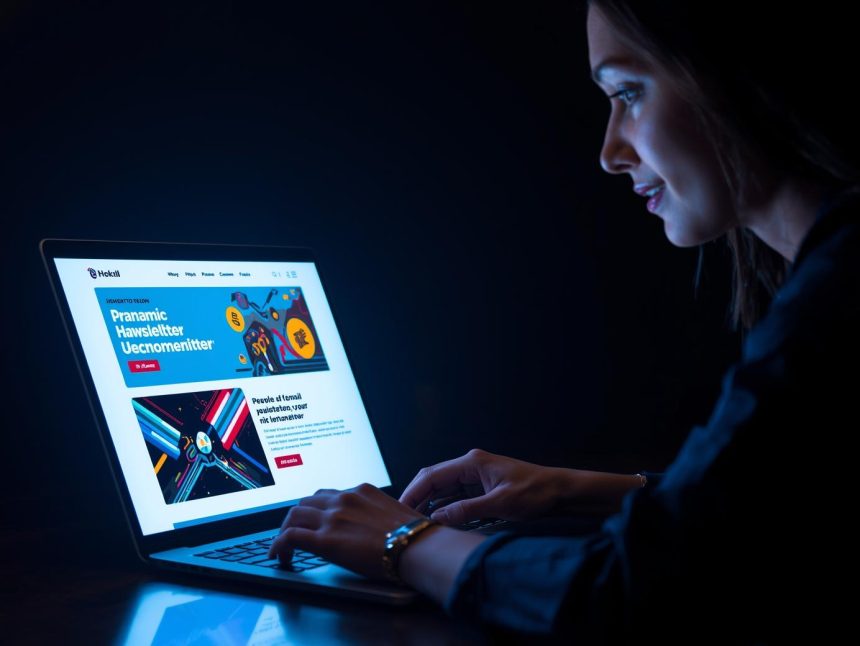
As inboxes grow more crowded in 2025, email design has become just as important as the message itself. Subscribers don’t just read—they scan, judge, and often delete within seconds. So, how do you create newsletters that stand out, get read, and drive clicks?
It starts with smart design.
Whether you’re a solopreneur, a content creator, or a brand marketer, this guide will walk you through the latest newsletter design trends, performance-backed layout tips, and the tools and templates you need to create stunning newsletters that convert.
Why Newsletter Design Matters in 2025
According to Mailchimp (2024), well-designed emails with clear structure and CTA buttons drive up to 48% higher click-through rates compared to plain-text or poorly formatted messages. Similarly, Litmus (2023) reports that mobile-optimized and visually clean emails reduce bounce rates and improve subscriber retention.
Good design leads to:
- Higher open and click rates
- Better user experience
- Stronger brand consistency
- Lower unsubscribe rates
It’s no longer just about what you say—it’s how you show it.
Top Email Newsletter Design Trends for 2025
1. Mobile-First, Responsive Layouts
With more than 70% of email opens happening on mobile devices (Litmus, 2023), responsive design is a non-negotiable.
Best practices:
- Use single-column layouts
- Keep font sizes at 16px or larger
- Include large, tappable buttons
- Maintain generous spacing for easier reading
Use email service providers (ESPs) like ConvertKit, Beehiiv, or MailerLite—all of which support responsive designs automatically.
2. Minimalist Layouts with More White Space
The trend in 2025 leans toward simplicity—less clutter, more focus.
Design tips:
- Use one or two core colors (plus a neutral background)
- Rely on strong headings and short text blocks
- Highlight key points with bolding or bullet lists
Campaign Monitor (2023) found that newsletters with clear visual hierarchy and less than 400 words saw 22% higher click-through rates than dense, text-heavy formats.
3. Structured Visual Hierarchy
Your readers scan first, then decide whether to engage. A strong visual hierarchy guides them through your message.
Use:
- Clear H1 and H2 headings
- Bold subheaders to separate content blocks
- Icons or divider lines to create flow
Organized structure improves comprehension and helps focus attention on your CTA.
4. Dark Mode Compatibility
With an increasing number of users enabling dark mode across email clients, emails that ignore dark mode often appear broken or unreadable.
Ensure dark mode readiness by:
- Avoiding white-only images or pure black backgrounds
- Using transparent PNG logos
- Testing emails across themes using tools like Litmus
Emails optimized for both light and dark modes show 21% lower unsubscribe rates (Litmus, 2023).
5. Subtle Animation and Interactive Elements
Animation grabs attention—but too much can overwhelm. In 2025, email marketers are using micro-animations like hover effects and GIFs for product demos or emphasis.
What works best:
- One GIF per email (ideally under 1MB)
- Polls, sliders, or reaction emojis (supported in Beehiiv and Mailchimp)
- Animated progress bars for countdowns or offers
Keep motion simple and purposeful—emails with a single, relevant GIF see 26% more engagement (Mailchimp, 2024).
6. Personalization and Dynamic Content Blocks
Static emails are out. Modern ESPs allow you to show different content based on subscriber behavior, preferences, or location.
Examples:
- “Hi Sam, here’s a tool we think you’ll love”
- Show a product based on past clicks
- Insert geo-specific deals or local events
HubSpot (2024) reports that personalized emails increase transaction rates by 29% and boost click-through rates by up to 41%.
7. Accessibility-First Design
Designing for all users is not just ethical—it improves performance.
Accessibility guidelines:
- Use color contrast ratios of at least 4.5:1
- Never rely solely on color to convey meaning
- Include descriptive ALT text on images
- Use accessible fonts and spacing
According to MailerLite (2024), accessible emails outperform standard formats in readability and deliverability—especially among mobile and older users.
Top Tools for Building Beautiful Emails
You don’t need to be a designer to make stunning newsletters. Here are the top tools in 2025:
- Beehiiv: Clean layouts, built-in referral engine, and minimalist design
- ConvertKit: Visual automation and elegant templates for creators
- MailerLite: Drag-and-drop builder with professional themes
- Stripo: Advanced HTML email builder with AMP support
- Canva: For designing branded headers and newsletter graphics
All of these tools offer responsive templates and easy integrations.
Top Performing Newsletter Layout Templates in 2025
✅ The Single CTA Layout
Structure:
- Hero image or headline
- Brief intro (2–3 lines)
- CTA button
- Signature or PS
Why it works: It’s focused, digestible, and mobile-friendly. Works best for product launches, updates, or event invites.
✅ The Curated Digest
Structure:
- Headline: “This Week’s Picks”
- List of 3–5 tools, links, or reads
- Short blurbs for each
- Footer CTA: “Share this with a friend”
Why it works: Organizes info clearly and encourages clicks. Great for marketers, bloggers, and content creators.
✅ The Personal Story + CTA
Structure:
- Narrative intro (150–200 words)
- Breakout quote or insight
- CTA: “Try this tool,” “Book a call,” or “Join the waitlist”
Why it works: Builds trust and connection while guiding action. Perfect for freelancers, coaches, and thought leaders.
Newsletter Design Mistakes to Avoid
❌ Using too many fonts or colors
❌ Skipping mobile testing
❌ Overloading with images or GIFs
❌ Hiding your CTA in dense text
❌ Sending image-only emails (hurts deliverability)
Emails with one clear CTA, limited visuals, and structured content consistently outperform busy layouts (Mailchimp, 2024).
Design Performance Benchmarks for 2025
| Design Element | Expected Impact |
| Mobile-optimized layout | +20–30% click rate improvement |
| Personalized content blocks | +29% transaction rate (HubSpot, 2024) |
| Dark mode compatibility | -21% unsubscribe rate (Litmus, 2023) |
| Structured visual hierarchy | +22% click-through rate (Campaign Monitor, 2023) |
| Accessible formatting | +17% engagement rate (MailerLite, 2024) |
These aren’t optional upgrades—they’re now essential for competitive email performance.
Note
In 2025, email newsletter design is a growth lever. It affects open rates, click behavior, conversions, and even how your brand is perceived.
To recap, here’s how to design winning newsletters:
- Use a mobile-first, minimalist layout
- Stick to clear hierarchy and readable fonts
- Personalize and adapt content dynamically
- Use visuals sparingly and test for dark mode
- Keep one primary CTA and avoid clutter
By following these trends and applying proven design tactics, your emails will not only look great—they’ll perform better too.
More Read

References
Campaign Monitor. (2023). Email marketing benchmarks by industry. https://www.campaignmonitor.com/resources/guides/email-marketing-benchmarks/
HubSpot. (2024). Email personalization and performance benchmarks. https://www.hubspot.com/
Litmus. (2023). The 2023 state of email engagement. https://www.litmus.com/resources/email-marketing-statistics/
Mailchimp. (2024). How email design impacts engagement and conversions. https://mailchimp.com/resources/
MailerLite. (2024). Designing for accessibility and engagement in email marketing. https://www.mailerlite.com/blog/email-marketing-benchmarks