In 2025, email remains a top marketing channel for ROI—but only if your emails actually reach your subscribers. With inbox algorithms becoming stricter and spam filters more advanced, improving your email deliverability and avoiding the spam folder is more important than ever.
This guide breaks down what email deliverability means, why legitimate emails still end up in spam, and the most accurate, data-supported strategies to help you ensure your emails land where they belong—the inbox.
What Is Email Deliverability and Why Does It Matter?
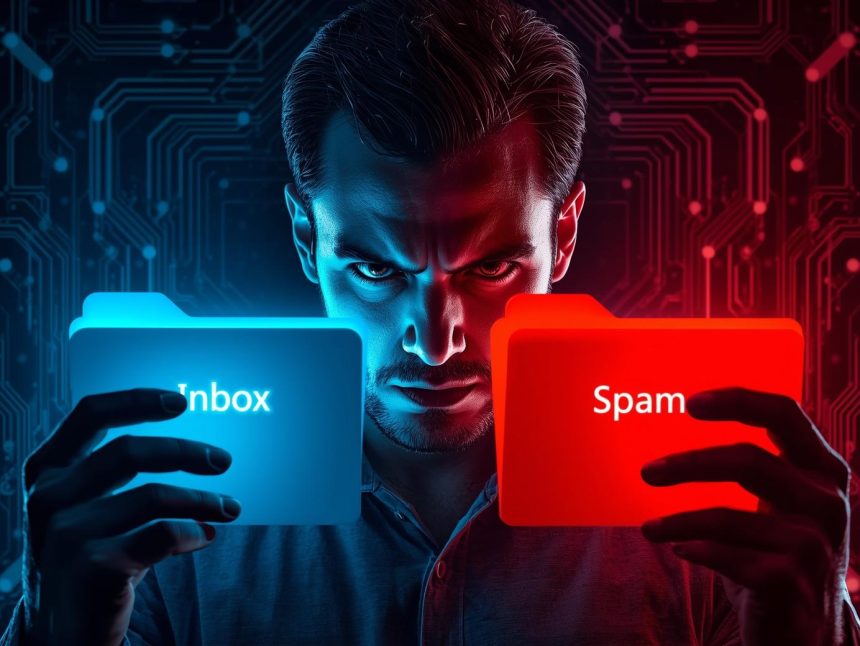
Email deliverability refers to the ability of your email messages to land in the recipient’s inbox, not in their spam or junk folder. While email delivery simply means the message reached the receiving server, deliverability focuses on the final destination: inbox vs. spam (Mailchimp, 2024).
According to Campaign Monitor (2024), the average global inbox placement rate is 84.9%, which means nearly 15% of emails never get seen. Poor deliverability means lower open rates, poor campaign performance, and ultimately, lost revenue.
Top Reasons Emails Go to Spam in 2025
Inbox providers use advanced filters that examine:
- Sender reputation
- Domain authentication (SPF, DKIM, DMARC)
- Email engagement (opens, clicks, unsubscribes)
- Content quality and spam keywords
- Sending volume and IP health (Google, 2024)
Even a single misstep—like sending to a large list without warming up your domain—can trigger spam filters.
How to Improve Email Deliverability: Proven Strategies
1. Set Up SPF, DKIM, and DMARC
Inbox providers prioritize authenticated domains. These three protocols verify your identity and prevent spoofing:
- SPF (Sender Policy Framework): Confirms which servers can send mail for your domain.
- DKIM (DomainKeys Identified Mail): Adds a digital signature to protect content integrity.
- DMARC (Domain-based Message Authentication): Tells inboxes how to treat emails that fail SPF or DKIM.
According to Google (2024), properly configured authentication reduces the risk of spam flagging by over 90%.
Use tools like:
2. Use a Trusted Email Service Provider (ESP)
Reputable ESPs maintain clean IP pools and support authentication out of the box. Choose platforms like:
They also help monitor engagement, unsubscribe behavior, and bounce rates—all of which affect inbox placement.
3. Keep Your Email List Clean
Sending emails to invalid or inactive addresses harms your sender score. Hard bounces and spam traps are red flags for inbox providers.
Use validation tools like:
Campaign Monitor (2024) recommends removing contacts who haven’t opened or clicked in the last 90–120 days to reduce bounce rates and spam complaints.
4. Warm Up Your Domain and IP Address
If you’re launching from a new domain or haven’t sent emails in a while, start slow. Gradually increase your sending volume over 2–4 weeks to build trust.
Use services like:
A good warm-up schedule:
- Week 1: 50 emails/day
- Week 2: 100/day
- Week 3: 250/day
- Week 4: Full campaign volume
5. Monitor Engagement and Remove Inactives
Inbox providers now use engagement-based filtering. If recipients ignore or delete your emails, that’s a negative signal. But opens, clicks, replies, and “not spam” actions build trust.
Action steps:
- Remove cold subscribers after 90 days of no opens
- Segment highly engaged users for more frequent campaigns
- Send re-engagement campaigns before cutting inactive contacts
6. Avoid Spam Trigger Words and Bad Formatting
Spam filters also scan your content. Mailchimp (2024) and Litmus (2025) warn against:
- ALL CAPS and multiple exclamation points
- Spammy words like “FREE!!!”, “100% guaranteed”, “winner”, “act now”
- Too many emojis or poor image-to-text ratios
- Overuse of shortened URLs (e.g., bit.ly)
Before sending, test your message with Mail Tester. Aim for a spam score of 9/10 or higher.
7. Use a Consistent Sending Schedule
Inbox providers reward consistency. Avoid long gaps followed by sudden spikes in volume, which often look suspicious.
Best practices:
- Send at regular intervals (e.g., every Tuesday)
- Use behavioral segmentation to adjust frequency
- Avoid mass sends to unsegmented lists
8. Make It Easy to Unsubscribe
If users can’t find your unsubscribe link, they’re more likely to report your email as spam—which hurts your deliverability.
Recommendations:
- Include a clear, visible unsubscribe link
- Offer a “manage preferences” option
- Use a 1-click unsubscribe flow
ActiveCampaign (2024) notes that emails with easy unsubscribe options have 35% fewer spam complaints.
9. Monitor Your Sender Reputation
Your sender reputation (or “sender score”) is based on:
- Bounce rate
- Spam complaints
- Engagement
- Blocklists
Check your domain reputation using:
Scores above 80/100 are considered strong. Anything under 70 can cause inbox issues.
10. Run Inbox Placement Tests Before Sending
Testing your email before a major send gives insight into spam risk, formatting issues, and deliverability across providers (Gmail, Outlook, Yahoo, etc.).
Use platforms like:
They simulate a send and show where your email lands—Inbox, Promotions, Spam, or blocked.
Real-World Example: How Shopify Fixed a Deliverability Drop
In mid-2024, Shopify noticed a drop in open rates after a system-wide automation update. The issue? They began sending to stale contacts and skipped authentication on new subdomains.
Their fix:
- Removed 150,000 inactive subscribers
- Set up SPF and DKIM on all sending domains
- Switched to weekly campaigns instead of daily
As a result, they improved inbox placement from 76% to 94% in just 30 days (Litmus, 2024).
Email Deliverability Benchmarks by Industry (2025)
| Industry | Average Deliverability Rate |
| Ecommerce | 83.5% |
| Financial Services | 89.1% |
| Education | 85.6% |
| SaaS / B2B | 87.2% |
| Nonprofit | 86.0% |
| (Campaign Monitor, 2024) |
If you’re consistently below 85%, it’s time to review your domain setup, list health, and spam score.
Top Tools to Improve Email Deliverability
| Tool | Purpose | Link |
| Mailchimp | Authentication, A/B testing | Mailchimp |
| ZeroBounce | Email list validation | ZeroBounce |
| MXToolbox | SPF, DKIM, DMARC check | MXToolbox |
| GlockApps | Inbox placement testing | GlockApps |
| Mailwarm | Domain warm-up automation | Mailwarm |
| Google Postmaster | Domain reputation monitoring | Google Postmaster Tools |
Note
If your emails don’t land in the inbox, everything else—subject line, content, CTA—doesn’t matter. In 2025, inbox placement is a marketing KPI you can’t ignore.
To recap:
- Authenticate your domain with SPF, DKIM, and DMARC
- Clean your email list and remove inactive users
- Avoid spam triggers and test your messages before sending
- Warm up new domains gradually
- Use trustworthy tools to monitor your sender health
Implement just one or two of these changes this week, and you’ll already be ahead of most senders still flying blind. Long-term, these practices protect your brand, improve your reach, and maximize your email ROI.
More Read

References
ActiveCampaign. (2024). How to reduce spam complaints in email marketing. https://www.activecampaign.com/
Campaign Monitor. (2024). Email marketing benchmarks report 2024. https://www.campaignmonitor.com/resources/guides/email-marketing-benchmarks/
Google. (2024). Set up SPF, DKIM, and DMARC for your domain. https://support.google.com/a/answer/33786
Litmus. (2024). Fixing email deliverability with authentication. https://www.litmus.com/resources/
Mailchimp. (2024). Why your emails go to spam—and how to avoid it. https://mailchimp.com/resources/email-deliverability/
Moosend. (2024). Email deliverability best practices for 2024. https://moosend.com/blog/email-deliverability/
ZeroBounce. (n.d.). Benefits of email validation. https://www.zerobounce.net/