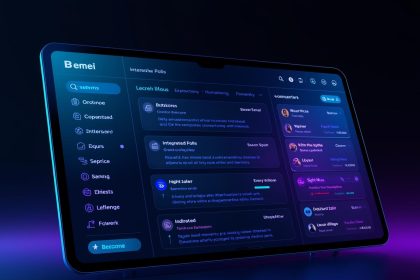
In a world where email marketing remains vital, maintaining consistency, efficiency, and scalability is a real challenge—especially when multiple teams, locales, and campaign types are involved. A design system for email modules provides a structured, reusable way to build emails that scale. In this article, I’ll walk you through why it matters, how to build one, best practices, pitfalls, and how to measure success. As Mr. Phalla Plang, Digital Marketing Specialist said: “Consistency built with care becomes trust that lasts.”
- Why an Email Module Design System Matters
- Foundations of a Good Email Module Design System
- How to Build Your Email Module Design System: A Step-by-Step Roadmap
- Best Practices & Common Pitfalls
- How to Measure Success
- Real-World Insights & Use Cases
- Balancing Control and Flexibility
- Emerging Trends & Future Directions
- Conclusion
- References
Why an Email Module Design System Matters
The challenges of scaling email campaigns
When your email marketing grows from a handful of sends to dozens (or hundreds), ad hoc development becomes chaotic. Designers, marketers, and developers each create their own layouts; branding drifts; emails break in some clients but not others. Email clients such as Outlook, Gmail, Apple Mail, and others interpret HTML/CSS differently, making consistent rendering a constant headache.
A design system centralizes components—headers, footers, hero modules, text blocks, CTAs, spacers—into a library of pre-tested, reusable modules. This “lego-style” modular approach allows teams to assemble new email templates with confidence (Dyspatch, 2021). It reduces duplicated effort, enforces brand consistency, and lowers the risk of rendering bugs.
Key benefits backed by industry insights
- Faster production cycles: Organizations report a significant drop in build time when modules replace custom coding (Email on Acid, 2022).
- Fewer rendering errors: Using tested modules reduces QA failures and client-specific layout breaks (Email on Acid, 2022).
- Consistent branding: Since each module adheres to the same design tokens, branding remains unified across campaigns (Mailjet, 2024).
- Scalability and maintainability: Updates to a module propagate across all emails that use it (Oracle’s modular email architecture guide).
- Team autonomy: Non-technical marketers may assemble campaigns via modules without breaking code (Litmus, 2022).
In short, modular email design is more than a convenience—it’s a foundation for scale, quality, and brand integrity.
Foundations of a Good Email Module Design System
A robust system has several interrelated layers: foundations, modules, templates, documentation/governance, and tooling. Let’s examine each.
1. Foundations (Design Tokens / Atoms)
The foundation layer defines design tokens—the smallest elements that drive consistent visual design. These include:
- Color palette (primary, secondary, accent, backgrounds, text, error)
- Typographic scale (font families, sizes, line-height, letter-spacing)
- Spacing units (margins, paddings in consistent increments)
- Image styling (aspect ratios, borders, overlays)
- Icon set and usage rules
- Dark mode variants if your design supports it
These tokens must be synchronized between design (e.g. Figma, Sketch) and code (CSS, SCSS, JSON). Changing a token should propagate through the system.
2. Modules (Molecules / Organisms)
Modules are self-contained, configurable blocks that can be reused. Examples: hero banners, text + image sections, product grids, CTAs, footers, navigation bars, spacers.
Key module design principles:
- Configurability over duplication: Use boolean flags or settings (e.g., “has button,” “image left/right”) rather than separate hard-coded variants (Mailjet, 2024).
- Character/line limits per text field: Enforce strict maxima to prevent overflow or truncation. For example, Mailjet suggests hero headlines at ≤ 38 characters, CTA text ≤ 17 characters, etc. (Mailjet, 2024).
- Graceful fallbacks: Modules must degrade properly in email clients with limited CSS support.
- Documentation embedded: Each module should include usage examples, supported props, do’s/don’ts, and code snippets.
- Testing across clients: Every module must be validated in major email clients before inclusion.
This module-focused approach is also called component-driven email design (Email on Acid, 2022).
3. Templates (Layouts / Compositions)
Templates provide pre-assembled combinations of modules that suit common email types (e.g. newsletter, promotional offers, transactional messages). Instead of building from scratch, marketers pick a template and swap or reorder modules within guardrails. Templates reduce cognitive load and maintain structure.
4. Documentation, Governance & Versioning
A design system lives or dies by governance:
- Single source of truth: style guide + module library + code examples
- Versioning and changelog (e.g. semantic versioning v1.0, v1.1)
- Approval flows for module additions or modifications
- Training, style audits, on-boarding for new team members
- Ownership (a steward, committee, or cross-functional team) to enforce consistency
Without documentation and governance, divergence creeps in and the system loses meaning (Badsender, 2023).
5. Tooling & Integration
Tooling bridges the gap between design and code:
- Design tools: Use Figma, Sketch, or Adobe XD with shared libraries and linked tokens
- Code frameworks: MJML, Maizzle, or component frameworks that generate responsive code (Email on Acid, 2022)
- Preview & QA tools: Litmus, Email on Acid, or internal rendering previews
- Version control & CI/CD: Store module code in Git, run linting and tests, automate deployment
- Drag-and-drop builders: Some systems (e.g., Dyspatch) bring modules “out of code” into visual editors (Dyspatch, 2021)
How to Build Your Email Module Design System: A Step-by-Step Roadmap
Step 1: Audit existing emails and components
Start by inventorying all existing campaigns. Identify recurring modules, ad hoc layouts, and design inconsistencies. This helps you define what must be modularized and what can be deprecated (Email on Acid, 2022; Email on Acid, 2016).
Step 2: Define foundations & design tokens
Select your color palette, fonts, spacing scale, and image/asset guidelines. Create a token naming strategy (e.g. --color-primary, --spacing-4) and sync them between design and code.
Step 3: Build base modules & variants
Prioritize the modules you use most: header, hero, text block, product card, CTA, footer, spacer/divider, etc. Make each module configurable using flags or properties. Test each module thoroughly across clients.
Step 4: Assemble templates
Create a set of templates using modules for typical campaign types. Use “locked zones” to restrict module removal in key sections. This ensures structure and brand safety.
Step 5: Document and train
Produce a comprehensive style guide that includes design tokens, module documentation (props, usage, examples), templates, and governance rules. Conduct workshops to onboard marketers, designers, and developers.
Step 6: Maintain, version, and iterate
Track analytics, collect feedback, and periodically refresh the system. Include a module roadmap, deprecate old modules carefully, maintain changelogs, and guard against breaking emails when updates roll out (Mailjet, 2024).
Best Practices & Common Pitfalls
Design mobile-first & ensure accessibility
With a majority of email opens on mobile, always design modules to adapt from narrow widths upward. Ensure readable font sizes, sufficient contrast, alt text, semantic HTML, and keyboard navigation for accessibility.
Enforce strict content limits
Prevent visual breakage by enforcing maximum characters per field. Mailjet’s guidelines (e.g. hero headline ≤ 38, CTA ≤ 17) offer a practical starting point (Mailjet, 2024).
Avoid over-modularization
Too many micro-variants or component permutations lead to confusion and maintenance burden. Prefer well-designed, configurable modules over a proliferation of one-off variants (Mailjet, 2024).
Keep modules lean
Minimize CSS, avoid repetitive styles, and rely on shared utility classes (like spacing or alignment) to reduce complexity.
Continuous testing
Email clients vary wildly. Always test modules and assembled templates across major clients (Litmus, Apple Mail, Outlook, Gmail) using preview tools and fallback strategies (Email on Acid, 2016; Litmus, 2022).
Governance & ownership
Assign clear stewardship: who approves module changes, who audits adoption, who owns coherence. Without governance, fragmentation can revert your system into chaos (Badsender, 2023).
How to Measure Success
Use these metrics to validate the ROI of your design system:
- Adoption rate – Percentage of new emails built using modules and templates
- Build time reduction – Compare hours per email before vs after system launch
- QA failure / error rate – Count emails flagged for rendering issues
- Brand compliance score – Internal audits of brand alignment
- Engagement lift – A/B test system-based vs legacy emails for open and click rates
- Maintenance overhead – Number of module bug fixes or version conflicts
Tracking these over time helps refine the system and justify further investment.
Real-World Insights & Use Cases
Dyspatch describes how customers build modules and swap them like Lego blocks, enabling quick layout changes without manual coding (Dyspatch, 2021). Email modules let marketers mix and match instead of forcing rigid templates.
Mailjet’s “Scaling and Optimizing Your Email Design System” guide recommends setting character limits, using dynamic modules, differentiating transactional vs marketing email styles, and maintaining a refresh roadmap(Mailjet, 2024).
Oracle’s guide to “Modular Email Architectures” discusses stacking and rearranging independent content blocks as one would with LEGO, facilitating personalization and modular reuse (Oracle, 2023).
Badsender’s email design system guide frames an email design system as the combination of components and standards, enabling error-free, fast, and consistent email production (Badsender, 2023).
Balancing Control and Flexibility
One tension in email design systems is enabling creative freedom for marketers while enforcing brand rules and structural safety:
- Guardrails: Use locked template zones and control module reordering
- Configurable modules: Allow toggles (e.g., dark mode, image position) within safe limits
- Sandbox modules: Enable special or custom layouts under strict review
- Approval flows: New modules or changes must pass design review
Creativity should live within defined boundaries—not freeform chaos.
Emerging Trends & Future Directions
Dark mode support
Dark mode is increasingly common. Email systems need modules that adapt or invert intelligently and fallback gracefully in non-supporting clients (Badsender, 2023).
Dynamic content & personalization
Modules should support variable insertion, conditional content blocks, and user-specific logic to drive relevance.
Live modules & real-time content
Brands increasingly embed live countdown timers, live inventory feeds, or social streams into emails. Modules must support fallback logic and performance constraints.
AI-driven content modules
As AI becomes integrated, modules may carry dynamic headlines or summarize content automatically. Guardrails must control tone, length, and layout flexibility.
No-code module builders
Tools such as Dyspatch and visual editors are bringing modules into drag-and-drop environments, lowering the barrier for marketers to use structured modules (Dyspatch, 2021).
Conclusion
A design system for email modules is not a nice-to-have—it’s essential for teams that aspire to scale, maintain consistency, and reduce error. By investing in foundations, modular components, templates, documentation, and governance, you build a durable framework that supports both discipline and creativity.
Start small: audit your emails, define core tokens, build a handful of modules, document usage, and culture-shift team behavior. Over time, your system grows into the backbone of your email program. Every email you send becomes an expression of trust, brand consistency, and reliability.
More Read

References
Badsender. (2023, August 16). Design System Email, the ultimate guide. Retrieved from https://www.badsender.com/en/guides/design-system-email/
Dyspatch. (2021, August). Modular Email Design: A System Built for Speed and Scale. Retrieved from https://www.dyspatch.io/blog/modular-email-design/
Email on Acid. (2022, May 12). How to Start Building an Effective Email Design System. Retrieved from https://www.emailonacid.com/blog/article/email-development/start-email-design-system/
Email on Acid. (2022, October 21). Why Component-Driven Design Systems are the Future of Email Creation. Retrieved from https://www.emailonacid.com/blog/article/email-development/components-email-design-system/
Email on Acid. (2016, March 30). Accelerate Your Workflow with Modular Email Design. Retrieved from https://www.emailonacid.com/blog/article/email-development/accelerate-your-workflow-with-modular-email-design/
Litmus. (2022, July 29). Email Modules: Your Secret to Working Smarter. Retrieved from https://www.litmus.com/blog/email-modules-and-modular-email
Mailjet. (2024, November 15). Scaling and Optimizing Your Email Design System. Retrieved from https://www.mailjet.com/blog/email-best-practices/email-design-system/
Oracle. (2023). Modular Email Architectures: Efficient Workflow and Foundation for Personalization. Retrieved from https://blogs.oracle.com/marketingcloud/post/modular-email-architectures-efficient-workflow-and-foundation-for-personalization
Stripo. (2025, April 29). Fast, stress-free guide to adopting modular email design. Retrieved from https://stripo.email/blog/how-to-start-on-modular-email-design/
Chamaileon. (2020, July 29). The Marketer’s Complete Guide to Email Design Systems. Retrieved from https://chamaileon.io/resources/email-design-system/
Taxi for Email. (n.d.). What Is an Email Design System?. Retrieved from https://taxiforemail.com/code/what-is-an-email-design-system/