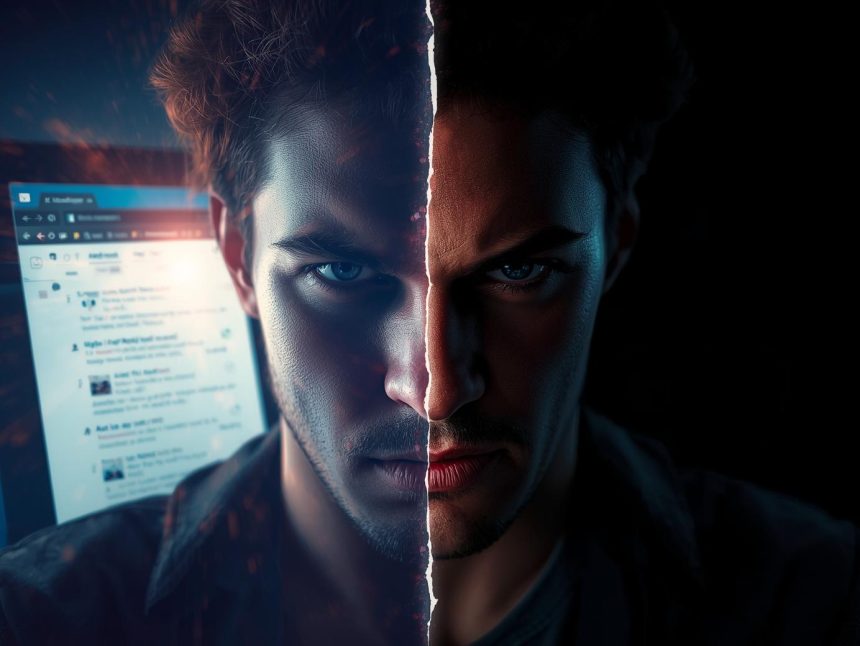
In the fast-moving world of digital marketing and email communication, dark mode has shifted from a novelty to a near necessity. As more people lean into lower‐light interfaces to reduce eye strain and extend battery life, brands and marketers must ensure their emails look great—and work well—in dark mode. In this article, you will learn how to design dark mode safe emails—that is, emails that maintain readability, brand integrity, and engagement whether viewed in light or dark mode settings across many email clients.
- Why Dark Mode Matters Now (and Tomorrow)
- What Does “Dark Mode Safe” Mean?
- Best Practices for Dark Mode Safe Email Design
- A Recommended Workflow for Dark Mode Safe Emails
- Real-World Challenges & How to Mitigate Them
- Benefits & ROI of Dark Mode Safe Emails
- Case Studies & Evidence
- Tips & Tricks (Quick Reference)
- Summary & Takeaway
- References
“We must care for both light and dark users, because your email is read in many contexts”—Mr. Phalla Plang, Digital Marketing Specialist
Why Dark Mode Matters Now (and Tomorrow)
Rising user adoption of dark mode
Dark mode isn’t a fad. According to recent data, around 82% of smartphone users in 2024 use dark mode on at least one app or device (because of battery savings and comfort) (Altersquare, 2025). Many email clients now support dark mode or auto-invert colors (Campaign Monitor, 2023).
When it comes specifically to email, about 34% of email opens occur in dark mode (Mailmodo, 2022), and 40% of subscribers reportedly view emails in dark mode (FluentCRM, n.d.). Meanwhile, only a small fraction of emails have been optimized for dark mode—just 5% in 2022 (Sendview, 2022). This gap between user behavior and marketing readiness opens a clear opportunity: emails that crumble in dark mode risk poor engagement, broken design, or brand damage.
The risks of ignoring dark mode
If your email is not dark mode safe, you may face:
- Unreadable text: Dark text on a dark background or light text on light background due to automatic inversion
- Invisible links or calls to action (CTAs)
- Logo or brand assets that “disappear” or look messy
- Unintentional color shifts or block inversion
- Negative brand perception: recipients may view your emails as unprofessional or low quality
In short, an email viewed under dark settings should never feel like an afterthought.
What Does “Dark Mode Safe” Mean?
A dark mode safe email is one that:
- Maintains sufficient contrast and readability regardless of theme
- Preserves brand identity (colors, logo, look and feel)
- Adapts gracefully to different dark mode implementations
- Functions correctly, including links, images, buttons, and accessibility
Because email clients vary wildly in how they treat dark mode—some invert colors fully, others partially, some ignore dark mode entirely—you must design to the lowest common denominator and layer enhancements for clients that support them (Email on Acid; Litmus) (Email on Acid, n.d.; Litmus, 2024).
Best Practices for Dark Mode Safe Email Design
Below are actionable practices to help you build emails that look polished in both light and dark environments.
1. Start with dark mode in mind (don’t retrofit)
Designing for dark mode after the fact often leads to broken or inconsistent results. Instead, consider both modes at the outset. Build your style system so that every color, text, image, and block works under both light and dark conditions.
2. Use a flexible color palette
- Favor midtones (e.g. grays, muted colors) instead of extremes like pure white (#FFFFFF) or pure black (#000000). Many clients invert those extremes automatically. (Litmus; Campaign Monitor)
- Use WCAG contrast ratios (at least 4.5:1 for normal text) to guide color choices. (SendGrid, 2025)
- Use semantic colors/variables (e.g. “background,” “text,” “accent”) rather than hard-coded hex codes. In dark mode, swap variables rather than rewriting every color.
3. Use CSS media queries for dark mode where supported
Where possible, leverage @media (prefers-color-scheme: dark) to provide custom dark mode styles (e.g. overriding background, text, link, or logo colors) (SendLayer, 2024). But beware: not all email clients support that—some Gmail or Outlook clients may override or ignore it (StackOverflow, 2023). (SendLayer, 2024; StackOverflow, 2023)
4. Avoid or minimize hard-coded background colors
Hard-coded backgrounds (like <body bgcolor="#FFFFFF">) can backfire. Let the email client (or your media query) control the background if possible (SendLayer, 2024). If you must set backgrounds, test thoroughly for inversion effects.
5. Handle images and logos carefully
- Use transparent PNGs rather than JPGs with white backgrounds so your images blend into dark or light backgrounds (HubSpot; Campaign Monitor)
- Provide dual versions of your logo: a darker version for light mode and a white/bright version for dark backgrounds (Drip, 2023; Campaign Monitor, 2023)
- Add a stroke or subtle outline or shadow behind logos or light text in images so they don’t vanish on dark backgrounds (Customer.io; Campaign Monitor)
- Use CSS filters (e.g.
filter: brightness(.8)) in dark mode queries to dim overly bright images (Campaign Monitor, 2023)
6. Design buttons and CTAs that survive inversion
- Avoid solely relying on filled color buttons that may vanish after inversion
- Add borders, underlines, or outlines as backups to preserve clickability (Workshop, n.d.)
- Use contrast in both default and inverted states
7. Use robust text styling
- Prefer live HTML text over text embedded in images (better for accessibility and inversion) (Campaign Monitor)
- Don’t use extremely thin fonts—make text bold or semi-bold in dark mode to maintain legibility (Litmus)
- For links, don’t rely solely on color—use underlines or other visual cues too (Email on Acid)
8. Apply padding and spacing
Provide extra padding around elements, especially images, to prevent conflicts when backgrounds change. Padding gives room so edges don’t merge or bleed into adjacent blocks (Drip)
9. Limit your color usage
Fewer colors mean fewer opportunities for inversion mishaps. A compact palette helps maintain control. (Drip, 2023)
10. Always test across clients
Because dark mode behavior is inconsistent among clients, test your email across many devices and clients (Gmail, Apple Mail, Outlook, web and mobile). Use tools like Litmus or Email on Acid to preview how your email renders in both modes (Litmus; Email on Acid).
A Recommended Workflow for Dark Mode Safe Emails
- Define your base (light mode) design using your brand palette.
- Define a dark mode variant using semantic colors and midtones.
- Embed
prefers-color-schemeCSS where supported. - Create dual logos/images or add outlines.
- Build fallbacks (outlines, borders, underlined links).
- Test early and often across clients and devices.
- Gather metrics (open, click, user complaints) comparing light vs dark mode performance.
- Iterate: adjust colors and elements based on test feedback.
By following this workflow, you can avoid last-minute surprises like invisible buttons or broken images in dark mode.
Real-World Challenges & How to Mitigate Them
Inconsistent client behavior
Every email client handles dark mode differently. For example, Gmail and Outlook often override your CSS and automatically invert colors (StackOverflow, 2023). Some ignore your color instructions. Others partially invert only backgrounds (Litmus, 2024). You cannot control everything—design defensively.
Balancing brand fidelity vs readability
Your brand colors might not invert cleanly. A bright brand accent might become dull or unreadable in dark mode. Be ready to alternate brand shades for dark mode while preserving recognition.
Extra development effort
Designers and developers often resist dark mode because it’s extra work. But as user demand grows, that investment pays off in higher engagement and brand consistency.
Metrics complexity
Because users may switch between modes mid-read, segmenting metrics by dark mode can be murky. Some email platforms don’t track which mode was used. Use A/B tests, feedback, and visual audits to supplement metrics.
Benefits & ROI of Dark Mode Safe Emails
- Better engagement: If your email is readable and inviting under dark mode, recipients are more likely to stay, read, click, and convert.
- Trust and professionalism: A broken email looks careless. A resilient, polished one boosts credibility.
- Future-proofing: Dark mode adoption is growing; you want to be ahead of the curve, not playing catch-up.
- Accessibility and satisfaction: Many users (especially those in low-light or with visual sensitivity) prefer dark mode. Meeting their needs improves the user experience.
- Battery & user comfort: On OLED devices, dark mode can reduce energy use and eye strain (Altersquare, 2025; Drip, 2023).
Case Studies & Evidence
- Litmus provides one of the most comprehensive guides to dark mode, and illustrates how colors, imagery, and readability change under different dark mode implementations. (Litmus, 2024)
- Email on Acid recommends a “progressive enhancement” approach—build for basic clients first, then layer enhancements (Email on Acid, n.d.).
- Campaign Monitor demonstrates the use of CSS filters, dual images, and inversion controls to preserve visual coherence (Campaign Monitor, 2023).
- Klaviyo warns that failure to consider dark mode can break branding and make text or UI elements illegible (Klaviyo Help Center, 2024).
These real tools and platforms underscore that dark mode safe design is not speculative—it’s active practice in modern email development.
Tips & Tricks (Quick Reference)
- Use semantic color variables (e.g.
--bg,--text) instead of repeating hex codes - Add fallback borders or effects in case color fills invert
- Use stroke/outline on logos so they don’t vanish
- Avoid background images where possible; they often don’t invert well
- Send test emails to live devices in dark mode
- Watch your metrics before and after rollout
- Maintain simplicity: fewer elements = fewer things to break
Summary & Takeaway
Dark mode is now woven into the fabric of how people browse, read, and engage with digital content. If your email strategy ignores it, you risk broken visuals, unread text, and missed opportunities.
A dark mode safe email design is not a luxury—it’s a necessity. With a thoughtful design system, selective CSS enhancements, dual images, fallback styling, and rigorous testing, you can deliver emails that look and perform beautifully in any mode. Over time, your brand will be seen as polished, credible, and future-aware.
Optimize early, test broadly, and keep iterating. In the words of Mr. Phalla Plang, “We must care for both light and dark users, because your email is read in many contexts.” That mindset will guide you toward email campaigns that stand out in any inbox—light or dark.
More Read

References
Altersquare. (2025). Dark Mode Design Trends for 2025: Should Your Startup Adopt It?
Campaign Monitor. (2023). The Developer’s Guide to Dark Mode in Email.
Customer.io. (n.d.). Email Dark Mode: 6 Best Practices.
Drip. (2023). 6 Dark Mode Email Best Practices for Ecommerce Sellers.
Email on Acid. (n.d.). Master the Art of Dark Mode Email Design and Coding.
FluentCRM. (n.d.). Email Marketing Statistics Updated for 2025.
Klaviyo Help Center. (2024). Dark Mode Email Design Best Practices.
Litmus. (2024). Dark Mode Email: Your Ultimate How-to Guide.
Mailmodo. (2022). 10 Latest Dark Mode Email Statistics to Know.
SendGrid. (2025). 5 Responsive Email Design Best Practices for 2025.
SendLayer. (2024). Designing Emails for Dark Mode: Best Practices.
Sendview. (2022). Dark Mode & Email Marketing: The Latest Usage Statistics.
StackOverflow. (2023). How can I ensure my email design stays consistent across light and dark mode?
Workshop. (n.d.). Best Practices for Dark Mode in Email Clients.