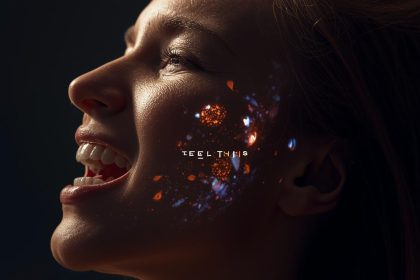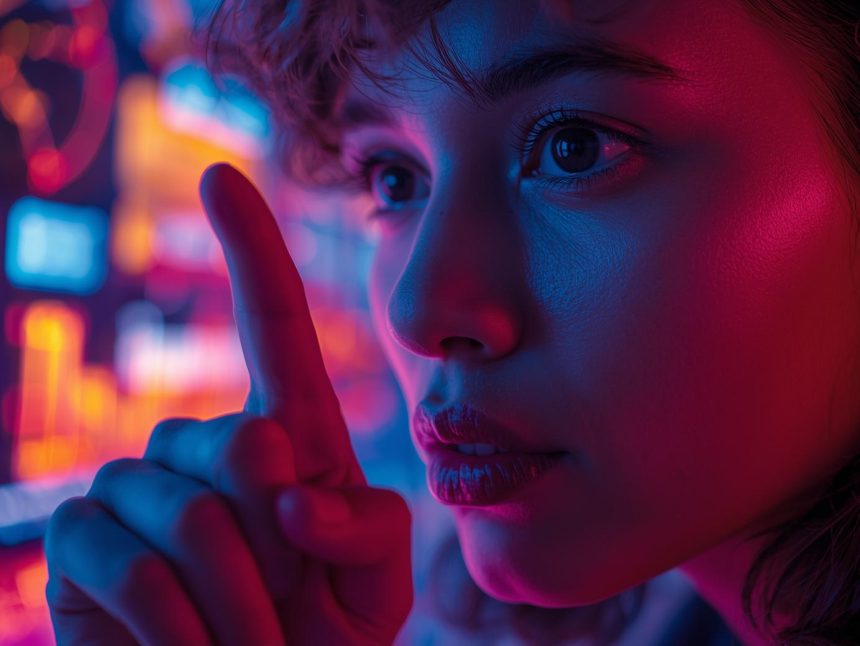
In today’s digital age, audiences expect more than just slick visuals—they want stories. The practice of AI image generation for brand storytelling offers a way to create compelling visual narratives at scale, shape brand identity, and deepen emotional connection. When done well, it becomes more than a tool—it is part of your brand’s voice. As Mr Phalla Plang, Digital Marketing Specialist, I believe that: “When your visuals tell the story, your brand becomes the narrator—not just the advertiser.” In this article we explore how AI-driven image creation can serve brand storytelling, answer real-world questions and objections, and guide you through implementation, measurement and future trends.
Focus Keyphrase: AI image generation for brand storytelling
Synonym: generative visual storytelling for brands
Quick Primer (definition)
At its simplest, AI image generation means using artificial intelligence models (text-to-image, image-to-image, etc.) to create visual assets—photos, illustrations, graphics—based on prompts or input. When we pair that with brand storytelling, we use those AI-generated visuals to convey narrative: brand origin, values, tone, journey, and personality.
So AI image generation for brand storytelling refers to:
- Using generative AI tools to create visuals that reflect your brand’s story.
- Ensuring those visuals align with brand voice, tone, palette and audience.
- Integrating those visuals into campaigns, social media, websites, ads and more.
It’s not just “images created by AI” — it’s about strategic, meaningful visuals that carry your brand’s message.
Core FAQs
Here are some of the most frequently asked questions about AI image generation for brand storytelling (and straightforward answers).
Q1. What kinds of AI image-generation tools exist and which are relevant for brands?
There are many tools, including models like Midjourney, DALL·E, Stable Diffusion and newer ones targeting brand‐specific needs. These tools allow you to input text prompts, optionally provide reference images, and generate visuals. For brands, look for features such as style consistency, brand palette support, prompt controls and output formats (e.g., social media, ad formats) (FlatLine Agency, 2025). (Flatline Agency)
Q2. How does this support brand storytelling rather than just generic visuals?
When used strategically, the visuals you generate reflect brand identity—tone, look, voice—and connect with your audience emotionally. The visuals become part of a narrative arc (who we are → what we stand for → what we deliver). Using AI speeds up iteration, allows more creative experiments, and supports consistent visual identity across channels (Dream Local Digital, 2025). (Dream Local Digital)
Q3. Can AI-generated images be consistent with brand guidelines?
Yes—but you must plan for it. Good platforms support style presets, palette locking, reference-image upload, and custom prompt templates. You may train or prompt the tool to use consistent fonts, colors, composition, brand icons, mood. Without guardrails, you risk inconsistency.
Q4. What is the workflow for generating brand-story visuals with AI?
A simple workflow:
- Define your brand story and visual mood (brand persona, colours, emotion).
- Write prompt templates aligned with that mood (e.g., “An evocative photo-realistic image showing a diverse team collaborating under golden light in a modern office, brand colours teal & charcoal”).
- Use AI tool to generate initial visuals.
- Review and refine: adjust prompt, select best outputs, edit as needed.
- Apply visuals across storytelling touchpoints: website hero, social post, campaign creative, email header.
- Tag, archive and reuse prompts for consistency over time.
Q5. Is the output of AI image generation ready for production use (ads, print, social)?
Increasingly yes. According to recent industry guides, the best models produce high-quality, commercially viable visuals ready for campaigns. (Segmind blog, 2025) (Automagically by Segmind) That said: you still need to check resolution, licensing, commercial use rights, brand alignment and any ethical/legal considerations.
Q6. How does this impact budgets and speed for visual content creation?
Huge impact. Traditional photo-shoots or fully custom design take time and cost. AI image generation allows rapid iteration, lower cost per visual, and greater volume. That means you can tell visual stories more often, across more platforms. ROI can come from faster turnaround, more campaigns, higher engagement.
Q7. What about authenticity and visual credibility—do audiences care if it’s AI-generated?
Yes, audiences care about authenticity. Brand storytelling relies on trust and connection. If visuals feel artificial or inconsistent with brand voice, the risk is disengagement. It’s essential to use AI thoughtfully—maintain human oversight, edit for authenticity, integrate real photography when appropriate.
Q8. What are the legal, ethical or usage rights issues I must consider?
Important. Many generative AI tools use training data that raise copyright questions. Also, some jurisdictions require watermarking of AI-generated content (Rijsbosch et al., 2025). (arXiv) You must confirm the license of the tool you use (commercial use? exclusivity? restrictions?). Transparent disclosure may also matter for trust.
Q9. How do I choose the right AI image generation platform for my brand?
Key criteria: brand-style controls, prompt library/customization, output quality/resolution, commercial licensing, team-collaboration features, integration with design pipeline (e.g., Adobe/Sketch), cost-model, support/training. Industry lists show notable tools are already designed for marketer use (ImagineArt guide, 2025). (Imagine.Art)
Q10. How do I measure success when using AI-generated visuals in brand storytelling?
That ties back to common marketing KPIs: engagement rates, Click-Through Rate (CTR), conversion, brand-lift metrics, visual recall, share rate, cost per asset, production time saved. More on measurement later.
Q11. Are there risks of brand-damage or misalignment when using AI visuals?
Yes—and we will cover objections and fix actions later. Briefly: misused visuals, inconsistent style, legal risk, loss of human touch. The key is to treat AI as a creative partner, not a complete replacement of human planning and oversight.
Objections & Rebuttals
Here are common objections and how to respond.
Objection A: “AI-generated visuals look unnatural or generic; they risk hurting brand credibility.”
Rebuttal: When you apply brand-specific prompts, review outputs, and refine, the results can be highly customised and on-brand. Think of AI as a tool—your brand voice still guides selection, editing and deployment. Also, mixing real photography with AI-generated visuals can maintain authenticity while scaling visuals.
Objection B: “Using AI images means we lose human creativity and originality.”
Rebuttal: Actually, AI frees humans from repetitive visual creation so they can focus on strategy, story, concept and iteration. “AI becomes collaborator, not replacement.” As I say: “When your visuals tell the story, your brand becomes the narrator—not just the advertiser.” The strategy and narrative remain human-led.
Objection C: “What if there are copyright or legal issues using AI-generated images?”
Rebuttal: Valid concern. Choose tools with clear commercial licences, ensure you have rights for uses (ads, print, digital). Monitor regulation—watermarking and disclosure are emerging legal norms (Rijsbosch et al., 2025). Build internal policies.
Objection D: “Our team is small and cannot handle new AI tools or processes.”
Rebuttal: Many tools today have marketer-friendly interfaces. You can begin small: use templates, train one person, build prompt library. Start with one campaign, refine process, then scale. The ROI—time saved, volume increased—justifies the learning investment.
Objection E: “AI visuals might look too ‘samey’ over time.”
Rebuttal: Not if you build variation into your prompts, rotate style templates, integrate real photography, and adjust mood/colour/format for each campaign. Maintain brand guidelines but allow creative flexibility. Monitor results and evolve.
Objection F: “Our brand is luxury/premium—will AI visuals cheapen our perception?”
Rebuttal: Premium brands need ultra-high fidelity and craftsmanship in visuals. Select AI tools that deliver top resolution, bespoke style, and editing oversight. Use AI for ideation, rapid prototyping, and variation—then refine with human designer to maintain premium feel.
Implementation Guide
Here is a step-by-step implementation guide tailored for your role as HR/Marketing Manager and University Lecturer bridging marketing theory and practice.
Step 1 – Clarify brand story & visual strategy
- Define your brand narrative: mission, vision, values.
- Map audience personas and emotional triggers.
- Develop a visual mood board: brand colours, typography, photographic style, illustration style, emotional tone (e.g., friendly, bold, aspirational).
- Document brand guidelines so AI outputs align.
Step 2 – Select AI image generation platform
- Evaluate tools based on criteria: brand style control, output quality, commercial licensing, team collaboration, integration with your workflow (e.g., Adobe, Figma).
- Consider cost vs volume of visuals, training overhead.
- Trial 1-2 tools to test brand alignment.
Step 3 – Build prompt library and workflow
- Create prompt templates aligned with categories (hero visuals, social posts, campaign banners, email headers).
- Example prompt (for your brand): “Diverse professional team in modern office celebrating breakthrough with upward arrow graphic overlay, brand colours teal & charcoal, golden hour lighting, photo-realistic, inclusive.”
- Document best-practice prompts and parameters (style, emotion, tone).
- Define internal roles: who writes prompt, who reviews output, who edits/finalises.
Step 4 – Generate & curate visuals
- Use AI tool to generate several versions.
- Review outputs against brand guidelines and narrative alignment.
- Select best visuals, refine prompts, iterate.
- Edit final visuals for output size/resolution, accessibility (alt text), responsive formats for channels.
Step 5 – Deploy across storytelling touchpoints
- Website hero images, blog post visuals.
- Social media posts (LinkedIn, Instagram, Facebook, etc).
- Email marketing (headers, in-email graphics).
- Paid ad creatives (display, social, native).
- Presentations, internal communications (brand training, HR-marketing alignment).
- Each visual ties back to brand narrative: e.g., “We empower inclusive growth”, “We drive innovation”, “We collaborate globally”.
Step 6 – Archive, scale & maintain visual library
- Save prompts, outputs, styles in shared library.
- Tag visuals by campaign, story theme, audience persona.
- Create brand-safe templates for recurring themes.
- Set review cadence to update visual styles as brand evolves.
Step 7 – Train and upskill your team
- Conduct workshops for marketing, design, HR teams on using AI image tools.
- Share best practices, prompt tips, brand-safety guidelines.
- Encourage collaboration between marketing and HR (as you oversee both effectively) to maintain branded storytelling internally (employer branding too).
Step 8 – Monitor and refine
- Track performance metrics (see next section).
- Collect qualitative feedback: do visuals resonate with audience? Are they consistent?
- Refine visual style, prompts, workflow based on data.
Measurement & ROI
Implementation without measurement is a missed opportunity. Here’s how to quantify value and tie AI image generation for brand storytelling to business impact.
Key metrics to monitor:
- Engagement rate (likes/comments/shares) of visuals on social channels.
- Click-through rate (CTR) on ad creatives using AI visuals vs traditional visuals.
- Conversion rate uplift (e.g., landing page with AI image vs control).
- Brand-lift metrics: recognition, recall, perception. Conduct surveys if possible.
- Asset-production metrics: time saved per visual, number of visuals generated, cost per visual.
- Internal efficiency: designer hours freed, iteration cycles reduced.
- Cost savings: compare cost of traditional photo-shoots + design vs AI-tool + review.
- Visual-consistency score: maintain brand guidelines adherence over visuals (qualitative audit).
ROI calculation example:
Suppose your team previously spent 20 designer-hours per campaign to generate 10 visuals at cost $100 / hour = $2,000. With AI, you generate 30 visuals in 5 hours review time = 5 × $100 = $500. That’s $1,500 cost saved. If engagement and conversions improve by, say, 15% due to fresher visuals, you can tie incremental revenue.
Example quote:
“By integrating AI-visual generation into our workflow we freed creative time and told our brand story faster across multiple channels.” – Mr Phalla Plang, Digital Marketing Specialist
Attribution & caveats:
- Ensure you isolate the effect of the visual change vs other variables. Use A/B testing.
- Track over time—not just one campaign.
- Monitor intangible benefits: improved brand perception, internal morale, creative agility.
Pitfalls & Fixes
When using AI image generation for brand storytelling, some common pitfalls arise. Here’s how to avoid or fix them.
Pitfall 1: Misaligned visuals
Problem: The AI output may look great but not match brand voice or story tone.
Fix: Tighten prompt templates, include brand descriptors (“warm, inclusive, modern”), restrict style, conduct review sessions, create visual style guide.
Pitfall 2: Over-reliance on AI, no human input
Problem: Visuals feel generic or lack brand uniqueness.
Fix: Use AI for ideation and volume; incorporate human editing, brand-specific touches, real photography when needed.
Pitfall 3: Legal/rights issues
Problem: Using a tool without proper licence or failing to disclose AI-generation may pose risk.
Fix: Choose platforms with commercial licences, record usage rights, check regional regulations (e.g., watermarking mandates) (Rijsbosch et al., 2025). (arXiv)
Pitfall 4: Visual fatigue / repetition
Problem: Over-use of same style across all campaigns leads to audience disengagement.
Fix: Rotate styles, refresh prompt library, mix AI visuals with photography or real brand moments, plan seasonal/story-arc variations.
Pitfall 5: Internal team resistance or skill gap
Problem: Marketing/design team may resist new workflow or lack skills.
Fix: Provide training, start pilot projects, show time/cost savings, build internal champions, align HR/marketing (for your role) on vision.
Pitfall 6: Neglected performance tracking
Problem: The visuals are used but no one monitors impact.
Fix: Define KPIs upfront, build dashboards, schedule reviews, iterate based on data.
Future Watchlist
What’s next in the world of AI image generation for brand storytelling? Stay ahead by watching these emerging trends.
- Higher fidelity and realism: New models increasingly generate production-quality visuals that rival photography (Segmind, 2025). (Automagically by Segmind)
- Brand-specific model fine-tuning: Some brands may train or tune models on their own imagery for ultra-consistent style.
- Real-time dynamic visuals: Visuals that adapt in real time to user data, location, or persona—AI-driven personalization in image form.
- Ethical/transparent visual AI: Watermarking, disclosure of AI-generated content, audience trust considerations (Rijsbosch et al., 2025). (arXiv)
- Integration into AR/VR/metaverse: Brand storytelling extending into immersive platforms using AI‐generated visuals, 3D assets, interactive scenes.
- Cross-modal generation: Linking text, audio, video and image generation seamlessly so a brand story can produce visuals, narration, video and graphics in one pipeline.
- Internal brand training tools: Use of AI images in brand training materials, internal communications, HR storytelling (employer brand) for inclusive workforce visuals.
- Regulation and standardisation: Expect more rules on AI-generated content, brand safety, authenticity, copyright and usage rights.
Key Takeaways
- AI image generation for brand storytelling empowers brands to create meaningful visuals at scale.
- Success relies on aligning visuals with brand narrative, voice and guidelines—not leaving visuals to chance.
- A step-by-step workflow—from brand story to prompt library to deployment—ensures consistency and efficiency.
- Measure not just visuals produced, but impact: engagement, conversions, cost saved, brand perception.
- Avoid common pitfalls by combining AI-led generation with human oversight, legal clarity and design discipline.
- Look ahead to emerging trends—realism, personalization, cross-modal storytelling, and regulation—and position your brand proactively.
- As I often say: “When your visuals tell the story, your brand becomes the narrator—not just the advertiser.” – Mr Phalla Plang, Digital Marketing Specialist
More Read

References
Dream Local Digital. (2025, May 20). Generative AI for brand storytelling: Tools, opportunities & best practices. https://dreamlocal.com/blog/generative-ai-for-brand-storytelling-tools-opportunities-best-practices/ (Dream Local Digital)
FlatLine Agency. (2025, Oct 20). 10 AI design tools for brands to know in 2025. https://www.flatlineagency.com/blog/10-ai-design-tools/ (Flatline Agency)
ImagineArt. (2025, Aug 5). Best AI image generators for marketers in 2025. https://www.imagine.art/blogs/best-ai-image-generators-for-marketers (Imagine.Art) Rijsbosch, B., van Dijck, G., & Kollnig, K. (2025). Adoption of watermarking for generative AI systems in practice and implications under the new EU AI Act. arXiv. https://arxiv.org/abs/2503.18156 (arXiv) Segmind. (2025, Nov 5). The ultimate guide to the best AI image generation models in 2025. https://blog.segmind.com/ai-image-generation-guide/ (Automagically by Segmind)