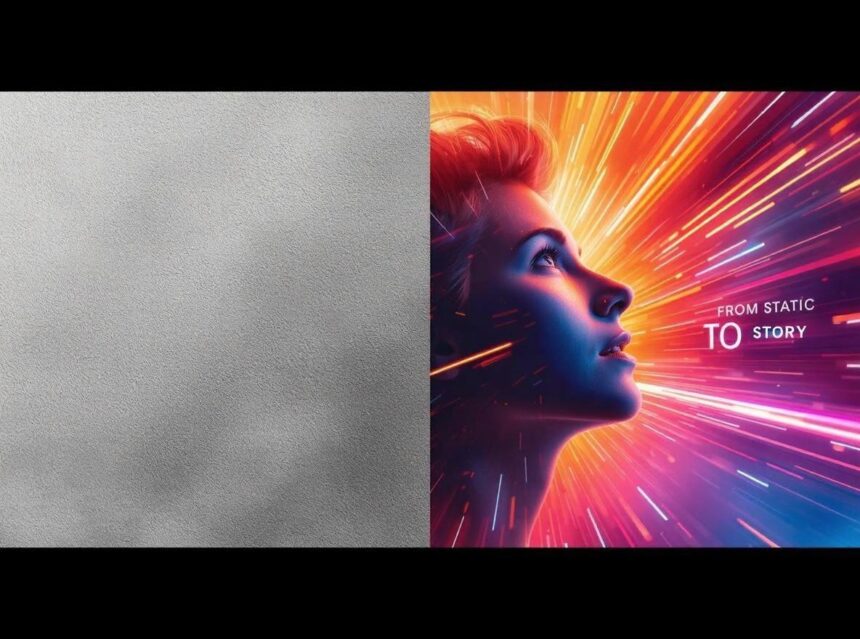
In today’s fast-paced digital environment, explainer videos have become essential for brands seeking to simplify complex ideas and engage audiences effectively. They merge motion, narrative, and visuals to explain products, services, or concepts in a clear and captivating way. The true efficiency of modern explainer videos often lies in motion graphics templates, which help creators build professional-quality content in less time and at lower cost.
- The Rise of Explainer Videos in Modern Marketing
- What Are Motion Graphics Templates?
- Why Motion Graphics Work So Well for Explainers
- Best Motion Graphics Template Platforms (2025 Edition)
- How to Choose the Right Template for Your Explainer
- Building Explainer Videos with Templates: Step-by-Step
- Design Trends in Motion Graphics for 2025
- Measuring Explainer Video Success
- Integrating Explainer Videos into Broader Marketing Strategies
- The Future of Explainers: Automation and Personalization
- Conclusion
- References
This article explores the role of motion graphics templates in crafting high-performing explainers, the tools that power them, the design trends shaping 2025, and actionable steps for marketers aiming to enhance engagement and conversions.
The Rise of Explainer Videos in Modern Marketing
Explainer videos are short, animated clips that communicate key messages clearly. They have grown into one of the most effective formats in marketing because they combine storytelling with motion—an approach that makes information both memorable and easy to understand.
According to Wyzowl’s (2025) State of Video Marketing Report, 96% of marketers say video improves understanding of their products or services, while 89% report a positive return on investment (ROI). Explainer videos stand out among video types because they educate while entertaining—bridging the gap between product awareness and conversion.
Yet, producing motion-rich videos can be resource-intensive. This is where motion graphics templates change the game.
What Are Motion Graphics Templates?
Motion graphics templates (MOGRTs) are pre-designed, customizable animation assets used to produce professional videos quickly. Created in tools such as Adobe After Effects, Premiere Pro, or Canva Pro, these templates come with editable elements like text animations, transitions, and infographics.
They typically include:
- Animated text and title styles
- Transitions, overlays, and logo reveals
- Data-driven infographic animations
- Scene or character motion sequences
Templates are editable, allowing users to replace colors, text, and branding assets while keeping the professional motion design intact. This flexibility empowers teams to produce consistent and visually engaging videos at scale.
As Mr. Phalla Plang, Digital Marketing Specialist, notes:
“Motion graphics templates bridge the gap between creativity and efficiency. They help brands tell better stories faster while maintaining visual consistency and emotional impact.”
Why Motion Graphics Work So Well for Explainers
1. They simplify complex information.
Animated visuals turn abstract or technical ideas into understandable stories. Cognitive research shows that combining motion and narrative improves comprehension (Mayer, 2021).
2. They enhance brand recall.
Consistent use of motion styles, colors, and typography strengthens brand identity and memorability.
3. They increase engagement and retention.
Viewers are more likely to finish videos that move dynamically. According to HubSpot (2024), videos with motion graphics retain up to 80% of viewer attention compared to static visuals.
4. They are adaptable across platforms.
Templates can be resized for various formats—from 16:9 YouTube videos to 9:16 vertical clips for TikTok or Instagram Reels—ensuring message consistency across all channels.
5. They are cost-effective and scalable.
By reducing production time, templates make high-quality video creation accessible for startups and enterprises alike.
Best Motion Graphics Template Platforms (2025 Edition)
1. Envato Elements
Offers thousands of premium templates for After Effects, Premiere Pro, and DaVinci Resolve. It’s perfect for agencies and creators needing professional-grade animations.
2. Motion Array
Provides an all-in-one subscription for motion graphics, stock footage, and plugins—ideal for creative teams working on multiple video projects monthly.
3. Canva Pro
User-friendly and browser-based, Canva now supports animated templates, making it ideal for marketers with limited design experience.
4. Adobe Stock Motion Graphics
Offers seamless integration with Adobe software, giving access to high-quality, ready-to-edit MOGRT files for professional video editors.
5. Renderforest
A web-based tool for creating explainers with drag-and-drop templates—great for educators, startups, and marketing teams.
How to Choose the Right Template for Your Explainer
1. Match the tone to your brand.
Corporate brands might favor sleek, minimal templates, while startups and creative agencies can explore colorful and dynamic animations.
2. Ensure full customization.
Look for templates that let you modify timing, typography, and color to align with your brand identity.
3. Consider the platform.
Choose vertical templates for social media and horizontal layouts for websites or presentations.
4. Follow a logical storytelling structure.
A strong explainer follows: Problem → Solution → Proof → Call to Action. Select templates that flow naturally with this structure.
5. Prioritize clarity and pacing.
Avoid excessive motion or flashy transitions that distract from your message. Clean animation improves comprehension.
Building Explainer Videos with Templates: Step-by-Step
Step 1: Develop your script and message.
Define the problem, explain your solution, and outline the desired viewer action.
Step 2: Choose your motion graphics template.
Pick one from trusted platforms like Envato or Motion Array, ensuring compatibility with your editing software.
Step 3: Customize your visuals.
Adjust fonts, colors, and icons to fit your brand. Maintain consistency across all videos.
Step 4: Add voiceovers and captions.
Use tools like Descript or ElevenLabs for professional or AI voiceovers that match your brand tone.
Step 5: Sync music and animation.
Choose rights-free tracks from Artlist or Epidemic Sound. Sync motion transitions to beats for rhythm and energy.
Step 6: Export and optimize.
Render in platform-specific formats: MP4 for social media, MOV for broadcast, and 9:16 for mobile-first platforms.
Design Trends in Motion Graphics for 2025
1. AI-Generated Motion Effects
AI tools like Runway ML and Pika Labs now assist designers in auto-generating animations based on text prompts, accelerating workflows dramatically.
2. Hybrid 2D–3D Animation
Accessible 3D software such as Blender and Cinema 4D enable 3D effects within 2D explainers, adding depth and realism without large budgets.
3. Modular Scene Templates
Modern templates offer modular designs that let editors rearrange sections, improving flexibility for personalized storytelling.
4. Minimalist Flat Design
Flat animation remains popular for social platforms where clarity and load speed matter. Simple shapes and clean transitions dominate motion aesthetics.
5. Animated Data Visualization
More brands are animating charts and statistics using motion infographics to visualize reports, dashboards, or impact metrics dynamically.
Measuring Explainer Video Success
Once published, track performance to refine future content.
1. Engagement Metrics:
Use tools like YouTube Analytics or Meta Business Suite to monitor watch time, average view duration, and drop-off points.
2. Conversion Metrics:
Add clickable CTAs in videos or landing pages and measure conversion rates using Google Analytics 4.
3. Brand Recall:
Conduct post-view surveys or A/B tests to assess message retention and viewer sentiment.
4. SEO Optimization:
Include closed captions, descriptive titles, and schema markup for video search visibility.
5. A/B Testing:
Experiment with different intros, voiceover styles, or color schemes to identify which versions perform best.
Integrating Explainer Videos into Broader Marketing Strategies
Explainer videos perform best when integrated across multiple touchpoints:
- Websites: Embed explainers on homepages or product pages to increase dwell time.
- Email Campaigns: Animated thumbnails can boost click-through rates.
- Social Media: Short explainers perform strongly in paid ad funnels and organic storytelling.
- Sales Presentations: Use customized explainers for product demos or investor decks.
- Customer Onboarding: Motion tutorials simplify learning for SaaS users or new clients.
This cross-channel strategy builds brand recognition and drives consistent engagement.
The Future of Explainers: Automation and Personalization
The next frontier is AI-driven personalization—where motion explainers automatically adapt to audience data such as location, behavior, or preferences.
Tools like Synthesia, Runway ML, and Lumen5 are already pioneering video automation, letting brands scale customized videos globally without manual production.
As Mr. Phalla Plang puts it:
“The future of explainers is real-time personalization—where motion graphics dynamically adapt to audience context, device, or behavior. It’s not just animation; it’s conversation.”
Conclusion
Motion graphics templates have transformed explainer videos from a design challenge into a creative opportunity. They enable marketers to produce visually engaging, emotionally resonant videos quickly and consistently.
By combining strategic storytelling, AI-enhanced design tools, and performance analytics, motion templates empower brands to educate, entertain, and convert audiences on any platform.
In 2025 and beyond, success in motion-driven storytelling won’t just depend on creativity—it will depend on how effectively brands use templates, data, and automation to move audiences with meaning and precision.
More Read

References
Adobe. (2025). Premiere Pro and After Effects motion design tools. Retrieved October 6, 2025, from https://www.adobe.com/products/aftereffects.html
Canva. (2025). Video templates for marketers. Retrieved October 6, 2025, from https://www.canva.com/pro/
HubSpot. (2024). The state of video marketing 2024. Retrieved October 6, 2025, from https://blog.hubspot.com/marketing/video-marketing-statistics
Mayer, R. E. (2021). Multimedia learning (3rd ed.). Cambridge University Press.
Wyzowl. (2025). The state of video marketing 2025. Retrieved October 6, 2025, from https://www.wyzowl.com/video-marketing-statistics/